
TypeForge Mechanical Keyboard
A board that feels expensive and lets you change your mind about switches without soldering. Hot-swap is what turns one purchase into years of tuning.
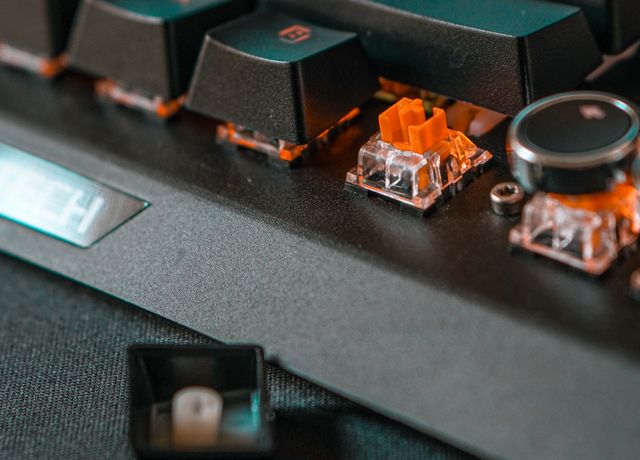
Buy it if You type for hours and want to try different switches over time. Skip it if You share a quiet office and cannot use tactile switches.
01How it works
Switches sit in hot-swap sockets, so you swap them with a puller and no soldering iron. That means the board survives a change of taste, which most keyboards do not.
A gasket mount floats the plate on soft pads, taking the hard edge off the bottom-out. Over a full day the softer landing is the difference between a board you enjoy and one you endure.
02What we tested
- Six weeks of full-day typing and three switch swaps.
- Battery timed with and without the backlight.
- Wireless switching across a laptop, a desktop, and a tablet.
- Keycaps checked for shine after heavy use.
03What we liked — and what we didn’t
+Hot-swappable switches
+Soft gasket feel
+Three-device wireless
+Month of battery
−Heavy for travel
−No numpad
−Not silent
−Software is basic
04Buying advice
Start with linear switches if you are unsure, then try tactile later. The whole point of hot-swap is that the first choice does not have to be the last one you make.